

AI Image Multiple View - Front, Back and Side Views


Drop Files Here (Support JPG & PNG Format Only)

Image View Angle


Waiting in queue...

Your request is being processed.

Status: - Queue: -


How to Generate Multiple Views from a Single Image Using AI

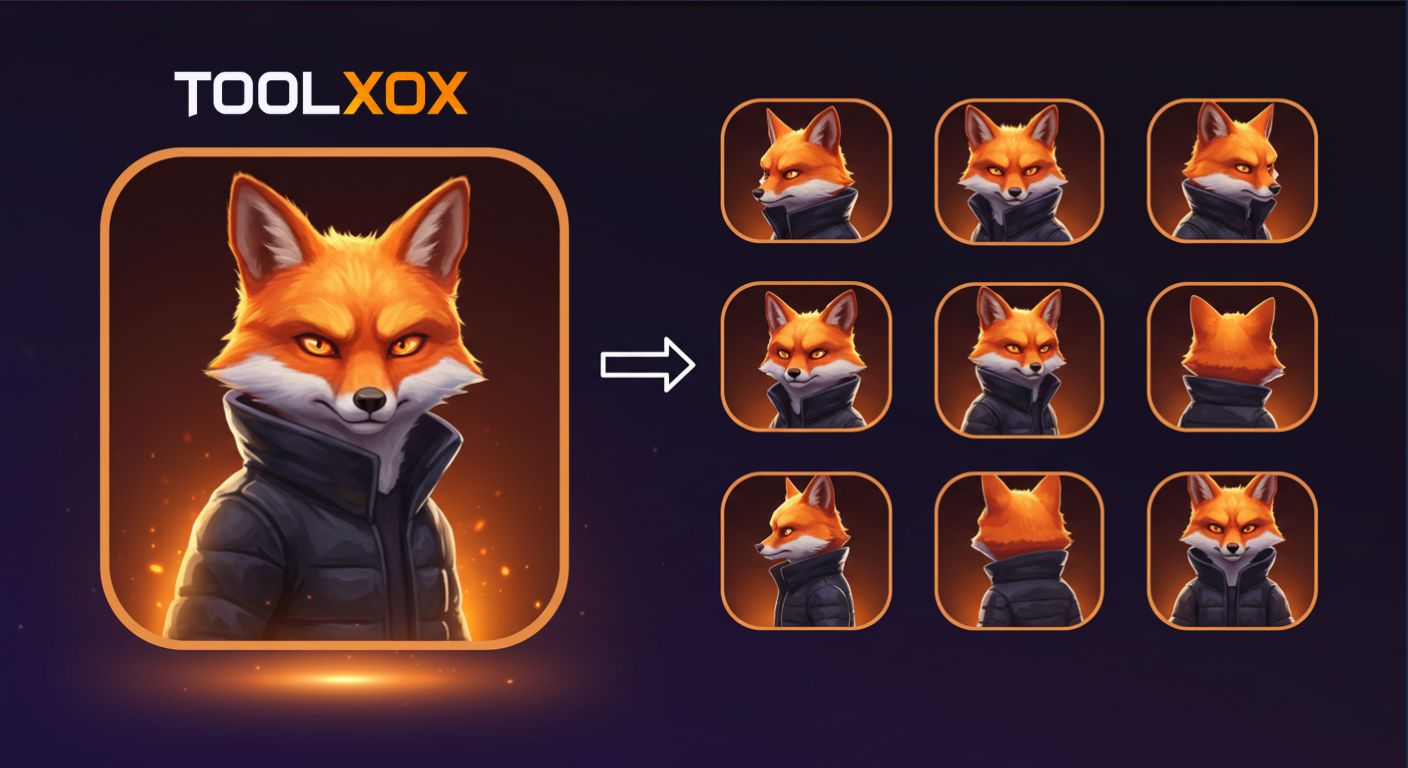
Our AI multiple image view generator allows you to create front, side, back, and angled views from a single image automatically using advanced AI techniques. This is perfect for showcasing your product, selfies, or artwork in multiple perspectives without needing manual photoshoots.

Whether you need professional product displays, multi-angle social media content, or reference images for 3D modeling, you can generate clean, consistent views effortlessly. Simply upload your image, select your preferred angles, and our AI will handle the rest within seconds.

Features:
1. 100% free multi-view image generation
2. Generate front, side, back, and angled views automatically
3. Supports selfies, products, and artwork
4. No sign-up required
5. Fast processing for instant downloads

AI multiple view image generation

What is an AI Image Multiple View Generator?

AI Image Multiple View Generator is an online tool that uses advanced AI to create front, side, back, and angled views of a single image automatically. By automating the process, it saves time and ensures consistency across all views.

How does the AI generate multiple views from one image?

Our AI uses deep learning models to analyze your uploaded images and predict accurate front, side, back, and angled views automatically without manual editing or multiple photo shoots. Utilizing the latest algorithms to process the image structure and details, ensuring high-quality results every time.

Do I need an account to use the AI Image Multiple View Generator?

You don't need an account to use the AI Image Multiple View Generator. It's simple to start creating multi-angle visuals instantly without having to sign up or login. We designed it to be simple - just upload your image and let our AI do the rest.

Can I generate multiple image views from my phone?

Absolutely! Our AI Image Multiple View Generator is fully mobile-friendly, allowing you to upload images, generate multiple views, and download them directly from your smartphone or tablet anytime, anywhere.

About the AI Multiple View Generator

Create new angles of the same subject from just one picture. Upload a JPG or PNG and the AI generates a front, back, left, right, rear or top view that stays consistent with the original. It is perfect for character sheets, product listings and 3D references.

The AI runs on our servers, so it works on any phone or computer without installing an app. It is free to use and you do not need to create an account.

How to Generate Multiple Views

  1. Upload one clear image of your character or object.
  2. Choose the view you need (front, back, left, right, top and more).
  3. Click Generate.
  4. Download each view.

Features

  • 8 viewing angles. Front, back, left, right, rear left, rear right and top.
  • Consistent subject. Colours and details stay the same.
  • 3D ready. Use the views as input for 3D tools.
  • No sign up. Use it straight away without an account or login.
  • Works everywhere. Runs online on Android, iPhone, Windows and Mac.

What to Use Multiple Views For

Character design: make turnaround sheets for games and comics.

E-commerce: show a product from several sides.

3D modelling: feed the views into Multi View to 3D.

Use a single subject on a plain background for the most accurate angles.

Frequently Asked Questions

What is multiple view generation?

It creates extra viewing angles of the same subject from one starting image.

Can I make a 3D model from the views?

Yes. Upload the views to our Multi View to 3D tool.

Which images work best?

One clear subject with a plain background.

Is the AI Multiple View Generator free?

Yes. You can use it for free without signing up.

Does it work on my phone?

Yes. It works in any modern mobile or desktop browser, so there is nothing to install.