

Photo to Ghibli AI - Ghibli Style Photo Converter


Drop Files Here (Support JPG & PNG Format Only)
Waiting in queue...

Your request is being processed.

Status: - Queue: -


How to Convert Photo to Ghibli Style with One Click

Our free online Studio Ghibli filter will instantly convert your images into Studio Ghibli styles. Just upload your image and clickβ€”our AI generator will do the rest! Try it out and see what Ghibli character you're meant to be! In just a few clicks, you can bring the charm and whimsy of Ghibli to your photos.

Features:
1. 100% free Ghibli Style Filter
2. No sign-up
3. High speed
4. Unlimited creation
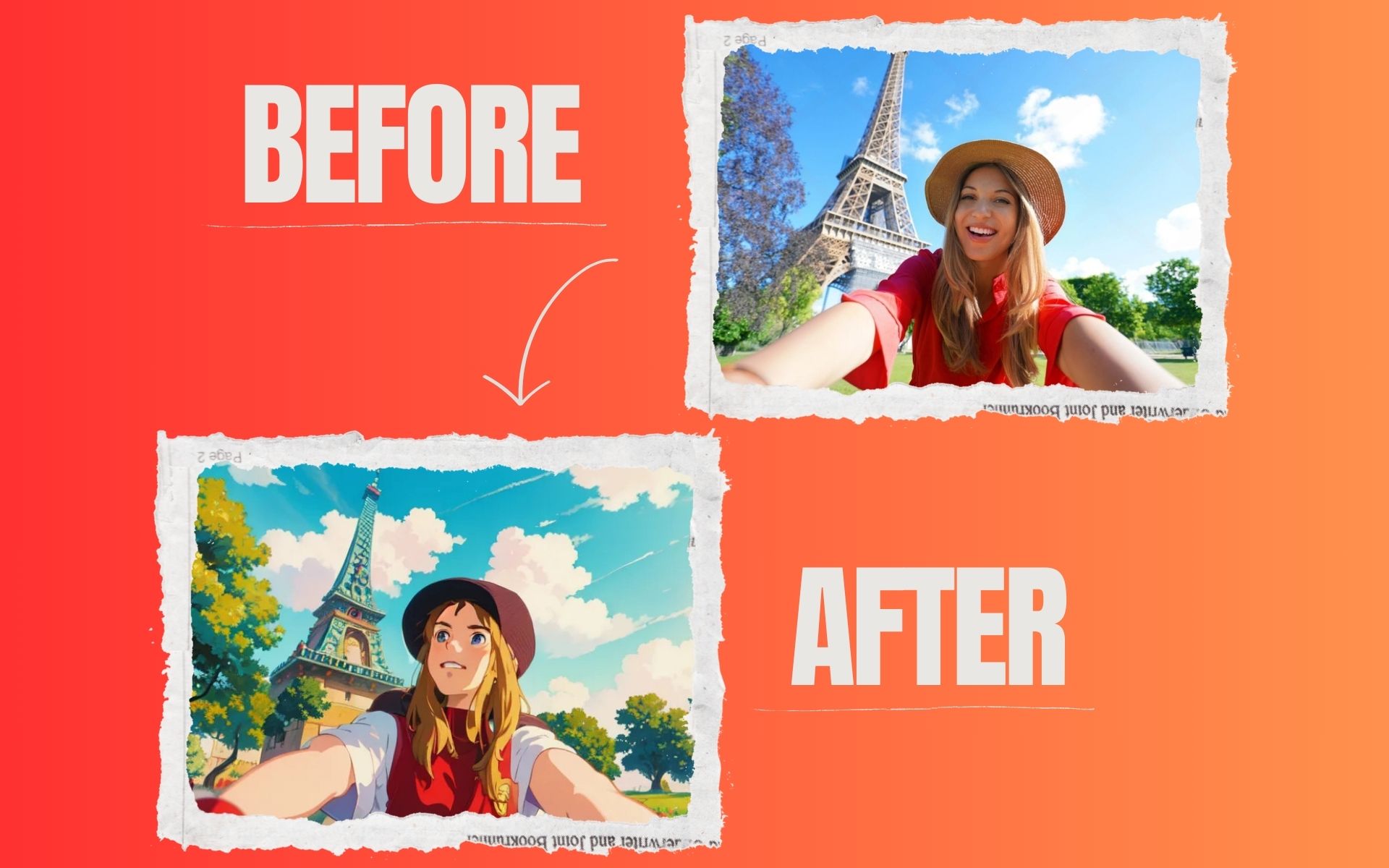

photo to ghibli

What is the AI Ghibli filter?

You can use the AI Ghibli filter to convert your photos into a work of art based on the animation style of Studio Ghibli. Our Ghibli AI Style uses advanced artificial intelligence to recreate the magic, softness, and whimsy that can be found in Ghibli movies. The final images will look dreamlike and enchanting to you and will make you feel like you are in a dream.

Is it possible to use the converted Ghibli image commercially?

Yes, as long as you own the copyright for the original image, the generated image can be used commercially after it is converted with the AI convert image to Ghibli generator. As a result, creators have the opportunity to transform their original works into unique Ghibli-style visuals for marketing, merchandise, and more.

Do I need to download software to use the Ghibli filter?

No, we don't require you to download any software. If you have a browser, you can use our picture to Ghibli converter. It is possible to access the site through a browser on any device, including desktops and mobiles.

Is the photo to Ghibli converter free to use?

It is 100% free to use ToolXOX Photo to Ghibli Converter. Enjoy professional-quality results without spending a dime!

About the Photo to Ghibli AI

Turn your photos into soft, hand painted anime scenes inspired by the Studio Ghibli look. Upload a portrait, pet or landscape and the AI redraws it with watercolour skies, gentle colours and warm light.

The AI runs on our servers, so it works on any phone or computer without installing an app. It is free to use and you do not need to create an account.

How to Make a Ghibli Style Picture

  1. Upload your photo.
  2. Click Generate.
  3. Wait for the painting.
  4. Download and share.

Features

  • Dreamy anime art. Soft watercolour backgrounds and warm light.
  • Any subject. People, pets, homes and travel photos.
  • Great for gifts. Prints and profile pictures.
  • No sign up. Use it straight away without an account or login.
  • Works everywhere. Runs online on Android, iPhone, Windows and Mac.

Which Photos Look Best?

Landscapes with sky, trees or water look the most magical.

Pets and cosy indoor scenes also work very well.

Use a clear, well lit photo.

For classic anime faces, try Photo to Anime.

Frequently Asked Questions

Is this affiliated with Studio Ghibli?

No. It is an independent AI art style inspired by that look.

What gives the Ghibli look its feel?

Soft watercolour backgrounds, gentle colours, clean outlines and warm natural light.

Can I print the result?

Yes. Download it and print it as a poster or card.

Is the Photo to Ghibli AI free?

Yes. You can use it for free without signing up.

Does it work on my phone?

Yes. It works in any modern mobile or desktop browser, so there is nothing to install.