

AI Headshot Generator


Drop Files Here (Support JPG & PNG Format Only)
Describe the Image You Want

Waiting in queue...

Your request is being processed.

Status: - Queue: -


How to Create Professional Headshots Using AI

Create a free headshot in seconds from just one photo using ToolXOX AI headshot generator. You can easily transform an image into a headshot for your resume, portfolio, and more by changing your outfit, background, and pose. Make your LinkedIn profile pictures, corporate ID photos, or actor portfolio shots look professional without costly studio sessions.

With ToolXOX AI, you can change the lighting, adjust the facial clarity, and pick the look that best suits your needs. Whether you need a professional or casual headshot, ToolXOX makes it easy, fast, and free.

Features:
1. 100% free AI headshot generator
2. Multiple outfit and background options
3. Generates professional LinkedIn-style headshots
4. AI-powered retouching for clear skin and lighting
5. No sign-up
5. High speed
5. Unlimited creation
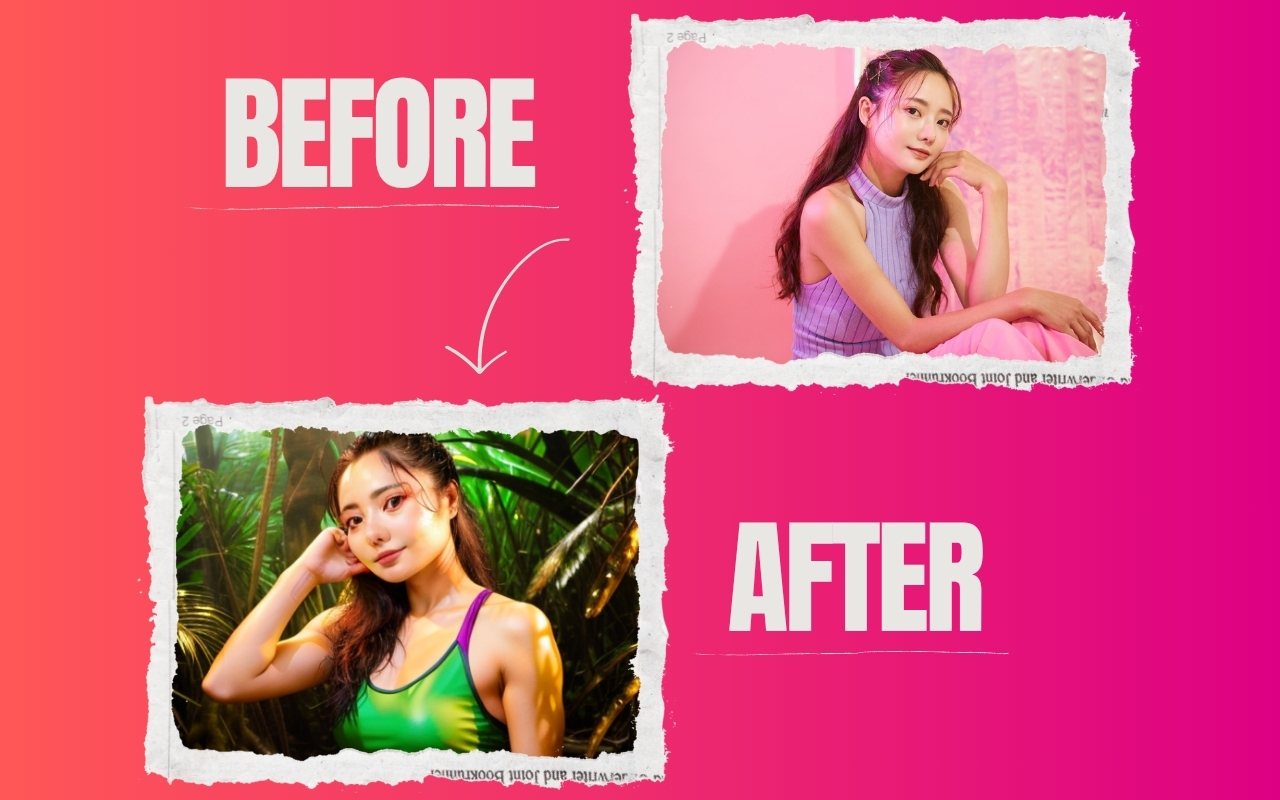

ai headshot

What is an AI headshot generator?

AI headshot generator uses AI to turn your regular photo into a professional headshot automatically. It can adjust your outfit, background, and lighting to make your photo suitable for LinkedIn profiles, resumes, portfolios, or other professional uses without needing a photographer.

Do I need any editing skills to use an AI headshot generator?

No editing skills are needed. The AI does all the work for you. Just upload a clear photo, select your preferred style, and the tool will automatically generate a high-quality headshot in seconds.

Is the AI headshot generator free to use?

Yes! Our AI headshot generator offers a 100% free version with unlimited creations. It is free to use, and you can create as many headshots as you like by uploading your photo.

What can I use my AI-generated headshot for?

You can use your AI-generated headshot for professional purposes such as resumes, LinkedIn profiles, company websites, portfolios or ID badges. You can also use it for social media profiles, online dating and personal branding.

About the AI Headshot Generator

Turn an everyday selfie into a clean, professional headshot suitable for LinkedIn, resumes and company pages.

How it works

  1. Upload a clear selfie.
  2. Choose a style if offered.
  3. Generate the headshot.
  4. Download it.

Popular uses

  • LinkedIn and CV profile photos.
  • Company team pages.
  • Speaker and author bios.

How do I make a professional headshot with AI?

Upload a well lit selfie, generate the headshot and download it.

Wear plain clothes in your selfie and stand in front of a simple background for a more professional result.

Which selfies work best?

Front-facing, well lit photos with a neutral background give the best results.

Which type of selfie works best?

A sharp, evenly lit shot taken at eye level, with your face centred and no heavy filter, gives the most natural headshot. Avoid hats, sunglasses and extreme angles. Look straight into the lens and keep a relaxed expression, and use the picture only where it is appropriate.