

AI Background Changer - Change Photo Backgrounds Free


Drop Files Here (Support JPG & PNG Format Only)
Describe the background image you want

Waiting in queue...

Your request is being processed.

Status: - Queue: -

How to Change Background of a Photo with One Click

If you don't have any background in your current photo library, finding the perfect one can be time-consuming. With ToolXOX AI Backdrop, you can create entirely new backgrounds simply by typing a description. Describe what you picture, from neon street graffiti to calming beaches - and it will come to life for you. Create unique, customized backgrounds that match your vision without wasting hours browsing stock photos with this feature, ideal for creative professionals, digital marketers, and content creators.

Features:
1. 100% free AI background changer
2. Customize background photo design with prompt
3. No sign-up
4. High speed
5. Unlimited creation
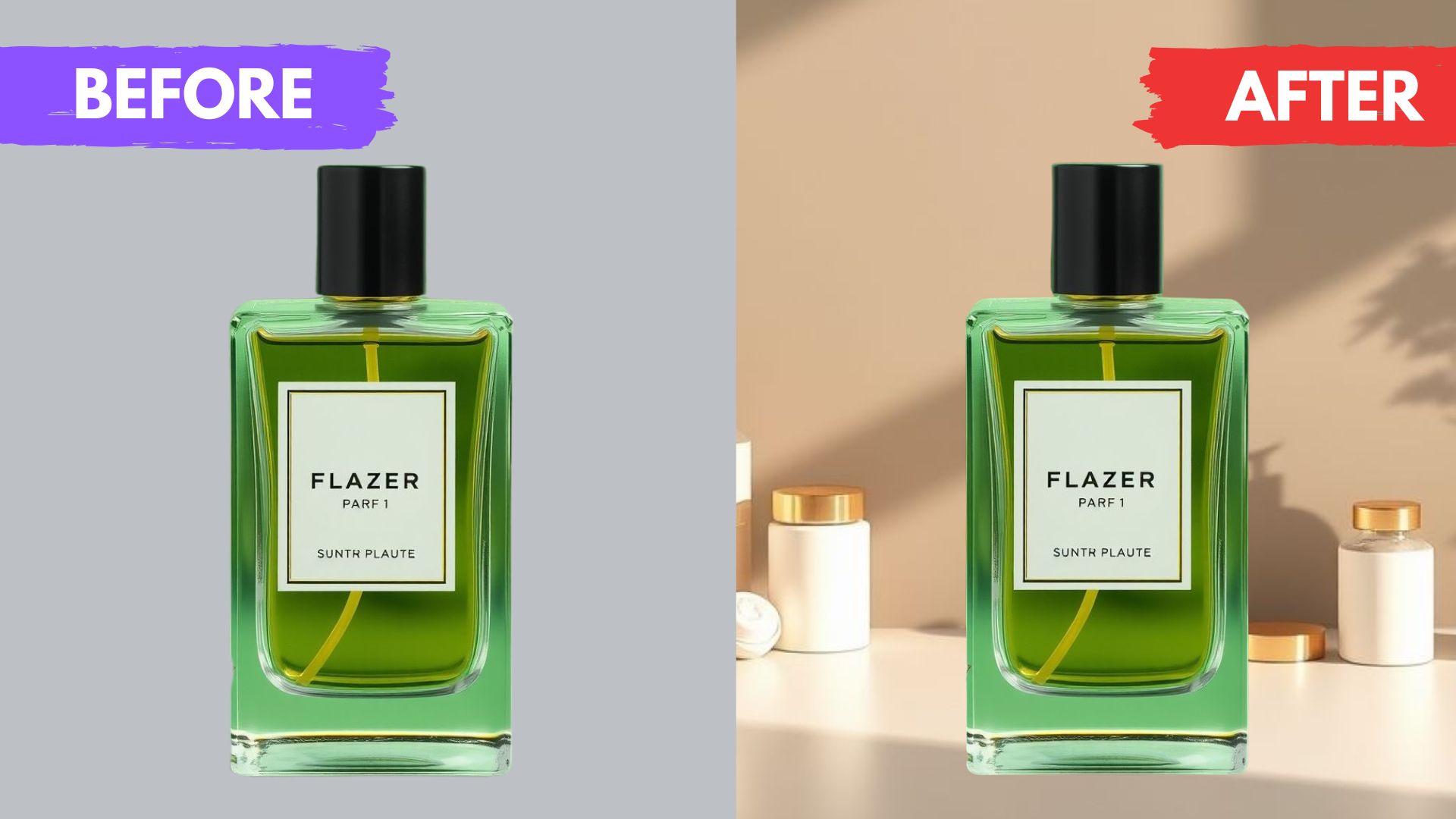

photo background change

Is the AI Background Changer easy to use?

Yes! AI Background Changer is designed to be easy to use. It doesn't require any design skills. Upload your image, enter your text prompt, and the AI will handle the rest, making the process quick and easy.

Can I change the background on my mobile device?

Yes, of course! Using AI Background Changer, you can change your background from anywhere, including your mobile device. It's as simple as opening your browser, uploading your image, and editing your background in real time.

Do I need to install any software to use the tool?

No installation is required! AI Background Changer is a cloud-based application, so you only need a web browser to use it. The editing process can be started immediately without the need to download any software.

Can I use the BG changer for free?

Yes. you can use the BG Changer entirely free of charge (no sign‑up or credits required), and any images you create with it are yours to use in personal or commercial projects. Feel free to swap backgrounds as often as you like and include the results in websites, marketing materials, merchandise, or anything else without worrying about licensing fees.

About the AI Background Changer

Replace the background of any photo with AI. Upload a picture, describe the new scene, for example "modern office with soft daylight" or "beach at sunset", and the AI places your subject in the new background with matching light.

The AI runs on our servers, so it works on any phone or computer without installing an app. It is free to use and you do not need to create an account.

How to Change a Photo Background

  1. Upload your photo.
  2. Describe the new background.
  3. Generate the image.
  4. Download the result.

Features

  • Any background. Studios, nature, cities or fantasy scenes.
  • Matching light. The subject blends into the new scene.
  • For products. Create lifestyle shots from plain photos.
  • No sign up. Use it straight away without an account or login.
  • Works everywhere. Runs online on Android, iPhone, Windows and Mac.

Tips for Realistic Backgrounds

Use a sharp photo where the subject is clearly visible.

Describe light and mood: "soft morning light", "studio lighting".

Keep the scene realistic for the subject size.

Need a transparent PNG instead? Use the Background Remover.

Frequently Asked Questions

Can I change the background on my phone?

Yes. It works in mobile browsers.

Do I need to remove the background first?

No. The AI handles it for you.

Can I use it for product photos?

Yes. It is great for e-commerce and social media.

Is the AI Background Changer free?

Yes. You can use it for free without signing up.

Does it work on my phone?

Yes. It works in any modern mobile or desktop browser, so there is nothing to install.