

Image to Prompt - Get an AI Prompt From Any Image


Drop Files Here (Support JPG, PNG & WEBP Format Only)



How to Instantly Get a Text Prompt for Any Image

Image to Prompt Generator uses advanced AI to analyze images and generate accurate, detailed prompts for AI art. By analyzing artistic styles, composition elements, lighting, colors, and subjects, the system gives you comprehensive prompts to capture the essential elements of your reference image. It's perfect for artists looking for inspiration, designers seeking detailed descriptions, or anyone wanting to recreate specific artistic styles.

Features:
1. 100% free image to prompt
2. Advanced style analysis
3. No sign-up
4. Instant results
5. Detailed recognition
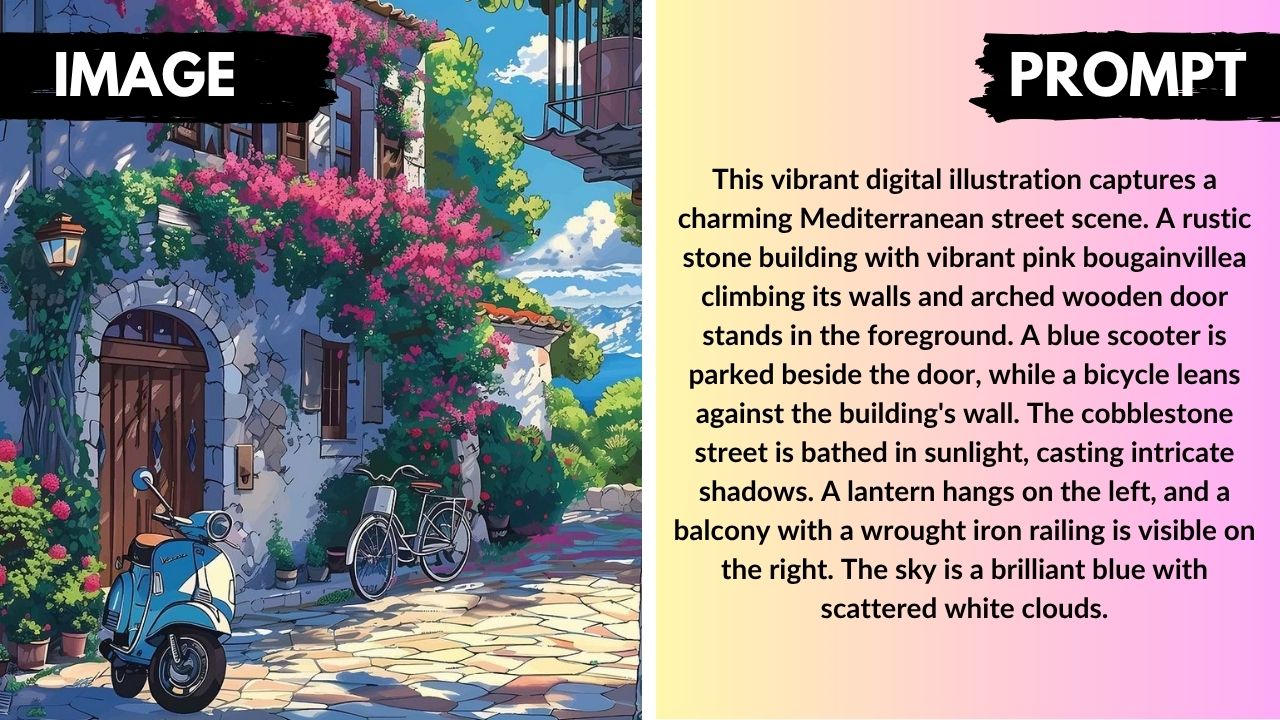

image to prompt generator

What is image to prompt generator?

Image to prompt generators are tools which analyze an image and automatically generate a descriptive text prompt from it that can then be used to generate similar or related images with AI image generators.

What types of images work best?

We recommend you use high-quality images with clear subjects and distinctive artistic styles to achieve the best results. In order to achieve these results, we recommend using images with good lighting and resolution.

How accurate are the generated prompts?

It is our goal to provide you with prompts that are as accurate as possible in terms of capturing the key visual elements, styles, and techniques of your vision. You may always modify the prompts in order to meet your needs.

Is there a limit per day to use AI Image to Prompt?

It's unlimited! Images up to 8MB in size can be uploaded in JPEG, PNG, or WEBP formats.

About the Image to Prompt Generator

Upload a picture and the ToolXoX Image to Prompt Generator writes a detailed text prompt that describes it: the subject, style, colours, lighting and composition. Copy the prompt and use it in any AI image generator to recreate or remix the look.

The AI runs on our servers, so it works on any phone or computer without installing an app. It is free to use and you do not need to create an account.

How to Get a Prompt From an Image

  1. Upload an image.
  2. Click Generate.
  3. Read the prompt.
  4. Click Copy Prompt and paste it into an image generator.

Features

  • Detailed prompts. Subject, style, light and composition.
  • One click copy. Paste straight into a generator.
  • Learn prompting. See how good images are described.
  • No sign up. Use it straight away without an account or login.
  • Works everywhere. Runs online on Android, iPhone, Windows and Mac.

What to Do With Your Prompt

Paste it into Text to Image or GPT Image to recreate the style.

Change one part, like the subject, to remix the image.

Use the description as alt text for your website images.

Results will be similar, not identical, to the original.

Frequently Asked Questions

Which generators can I use the prompt with?

Any text to image generator, including the ones on ToolXoX.

Will the new image be the same?

No. The prompt describes the image, so results will be similar but not identical.

Can I use it for alt text?

Yes. Shorten the description into one sentence for alt text.

Is the Image to Prompt Generator free?

Yes. You can use it for free without signing up.

Does it work on my phone?

Yes. It works in any modern mobile or desktop browser, so there is nothing to install.