
Image to Image AI - Transform Photos With a Prompt

Drop a Reference Ad Template Here (Support JPG & PNG Format Only)
Enter your prompts
Aspect Ratio
Model
Waiting in queue...

Your request is being processed.

Status: - Queue: -

How to Generate Images Using AI Image to Image Tool

Upload an image to provide as a visual reference for your generated artwork. Our AI utilizes advanced algorithms to replicate the style of your uploaded image and smoothly merge it with your text prompts. This produces visually engaging AI-generated art. As a result, you can easily customize elements like character poses or featured products, while maintaining a consistent style for posters, illustrations, and promotional materials. It’s a powerful way to create a unified brand identity for your brand across various platforms.

Features:
1. 100% free AI Image to Image
2. High-resolution photos
3. No sign-up
4. High speed
5. No hassle, you can regenerate if you don't like it
6. No watermark
7. Customize creative strength, control strength option
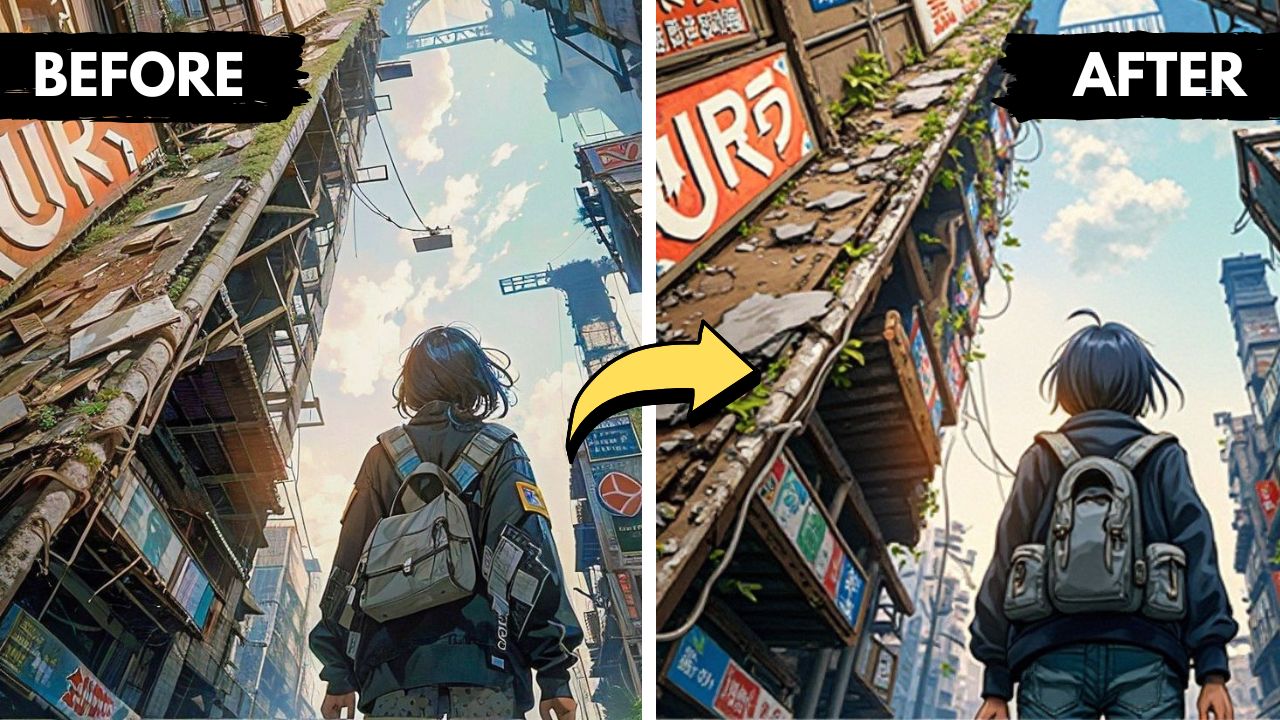

ai image to image generator

What is image to image AI?

You can transform an existing image with Image-to-Image AI by applying text-based prompts. You upload an image as a reference, and the AI uses your descriptions to modify the image, like adjusting the style, adding new elements, or changing details, while preserving its core content. While keeping key aspects intact, this program is ideal for enhancing photographs, creating artwork, or generating variations of existing designs.

How does AI generate images from an image?

It only takes a few clicks to generate a high-quality image from your text input, using advanced algorithms. Download your image while entering your text, and our tool will handle the rest. You can download the final image instantly, making it suitable for everything from creative projects and social media content to marketing materials and personal use. It doesn't require any design skills, just your imagination!

What is the Best Image-to-Image AI Generator?

Depending on your needs, the ToolXOX image-to-image AI generator is an excellent choice. It offers easy-to-use interfaces and high-quality transformations. Image-to-image AI generator offers features such as style transfer, artistic rendering, and content-aware editing abilities that maintain image quality.

Is the Image to Image AI free to use?

Yes, our Image to Image AI tool is completely free to use with no limits on how many images you can generate. You can upload as many reference images as you like and combine them with text prompts to create unlimited AI-generated photos. It's a powerful, user-friendly solution that is accessible to everyone. There are no subscriptions, no watermarks, just unlimited creativity.

About the Image to Image AI

ToolXoX Image to Image AI uses your photo as the starting point and creates a new version based on your prompt. Change the style, clothes, background or lighting while keeping the pose and layout. Pick from several AI models, including GPT Image, Nano Banana, Flux Kontext, Seedream, Grok Imagine and Ideogram.

The AI runs on our servers, so it works on any phone or computer without installing an app. It is free to use and you do not need to create an account.

How to Use Image to Image AI

  1. Upload your reference photo.
  2. Pick an AI model and a layout (square, portrait or landscape).
  3. Describe what should change.
  4. Click Generate and download the result.

Features

  • Many AI models. Switch models to find the style you like.
  • Keeps your composition. Pose and layout come from your photo.
  • Prompt helper. Generate a prompt idea if you are stuck.
  • No sign up. Use it straight away without an account or login.
  • Works everywhere. Runs online on Android, iPhone, Windows and Mac.

How to Write Image to Image Prompts

Describe only what should change: "make it a watercolor painting" or "change the jacket to red".

Say what must stay: "keep the same face and pose".

Start with a sharp, well lit photo.

Try two or three models with the same prompt. Each one has its own strengths.

Frequently Asked Questions

How is image to image different from text to image?

Text to image creates a picture from words. Image to image starts from your photo and changes it.

Which model should I choose?

GPT Image and Nano Banana follow instructions closely, Ideogram is good with text, Flux and Seedream are strong for styles. Try a few.

Can I restyle a photo into anime or art?

Yes. Describe the style you want, for example "anime style" or "oil painting".

Is the Image to Image AI free?

Yes. You can use it for free without signing up.

Does it work on my phone?

Yes. It works in any modern mobile or desktop browser, so there is nothing to install.