

Flux Kontext AI - Edit Images with Prompts


Write your prompt (NSFW Prompt not supported)
Aspect Ratio

Waiting in queue...

Your request is being processed.

Status: - Queue: -

How to Smart Image Editing with Flux Kontext

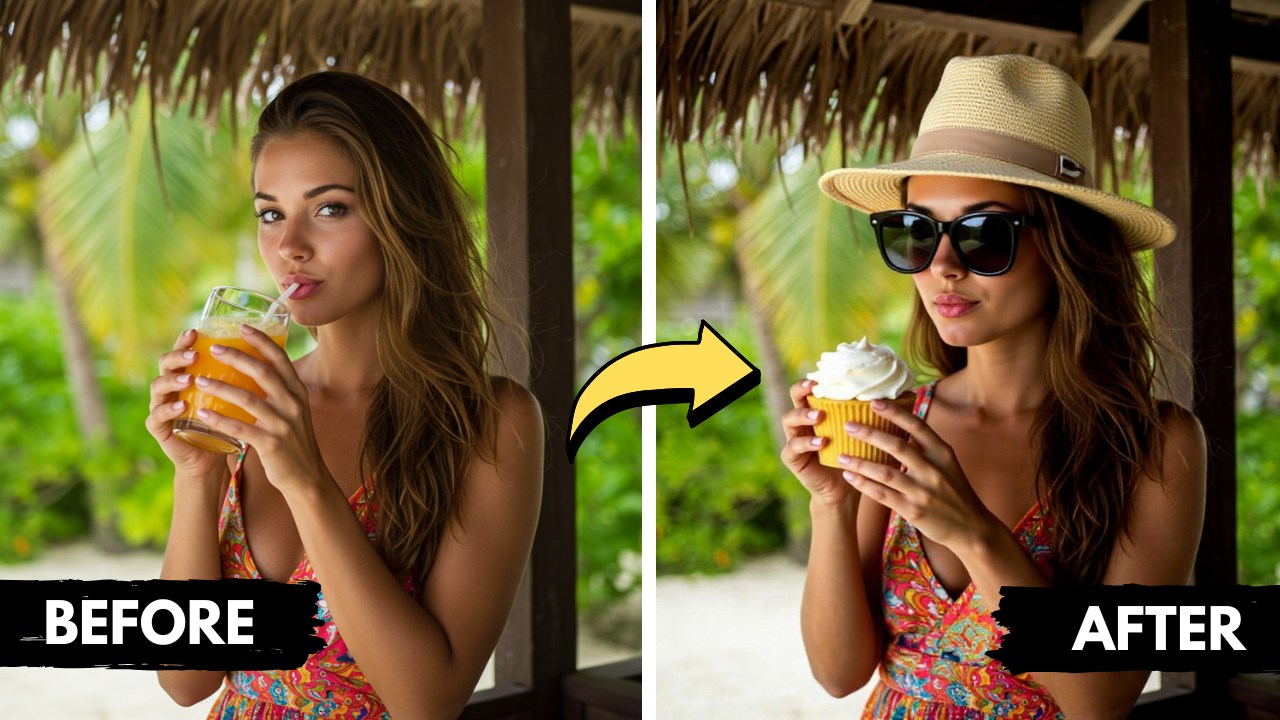
Flux Kontext delivers deep, scene-level understanding for image editing, allowing seamless and natural modifications that blend effortlessly with the original. Whether enhancing facial expressions, replacing objects, or reshaping entire scenes, every change honors the image’s lighting, composition, and perspective. The outcome? Create realistic, context-aware edits while maintaining realism and boosting creativity.

Features:
1. 100% free Flux Kontext
2. Context-Aware Editing
3. No sign-up
4. High speed

flux kontext image editing

What is Flux Kontext and How Is It Used in Image Generation?

Flux context AI model is designed to understand the entire context of images, allowing images to be generated smarter and more naturally. By combining visual and textual inputs, it allows users to create high-quality images with consistency and style based on text prompts.

How Does Flux Kontext Handle Image Editing and In-Context Modifications?

Flux context makes precise, localized edits without interrupting the image's overall design. The software ensures that modifications blend naturally with existing elements, preserving lighting, perspective, and visual coherence, whether you are changing facial expressions, swapping objects, or adjusting backgrounds.

How to Write Effective Prompts for Best Results with Flux Kontext?

Make sure your prompts are clear, detailed, and include information about the changes or scenes you want to make or remove. Include information on style, lighting, colors, and objects. Flux Kontext's ability to build upon previous edits allows you to refine your prompts continuously.

Can I use the Flux Kontext for free?

Yes, you can use Flux Kontext for free. There are no charges, subscriptions, or hidden fees. This makes it perfect for both casual users and professionals who need unrestricted creative flexibility.

About Flux Kontext AI

Flux Kontext lets you change a picture by describing what you want. Upload an image, type an instruction such as change the background to a beach and download the result.

How it works

  1. Choose Image to Image and upload a reference picture (JPEG, PNG or WEBP up to 10MB), or use Text to Image.
  2. Describe the change in your prompt.
  3. Pick the aspect ratio and click Generate.
  4. Wait in the queue and download the result.

Popular uses

  • Change backgrounds and outfits.
  • Fix small details in a photo.
  • Create variations of a design.

What is Flux Kontext?

It is an AI model that edits an existing image based on a text instruction.

How do I keep a character the same across edits?

State what must stay the same, for example keep the same face, hairstyle and clothes, and describe only the new scene or action. Use the previous result as the next reference picture and make small steps. This keeps identity much more stable than regenerating from scratch.