

AI Image Extender - Outpaint Photos

Upload Image

Support JPG & PNG formats up to 5MB

Height
px
Width
px

Easily Expand Image with AI Outpainting (Desktop and Mobile)

You can effortlessly expand your images with AI Image Extender without any technical expertise. Choose the area you wish to extend - whether it be the top, the bottom, or both sides - and then simply adjust the size and direction. It's easy to navigate and gives you complete control, so your final result fits perfectly with your vision. AI Expand Image will transform your creative workflow, enabling seamless expansion in just a few clicks. Take your image editing to the next level with AI image extender.

Features:
1. 100% free AI image expander
2. No sign-up
3. High speed
4. Natural effect
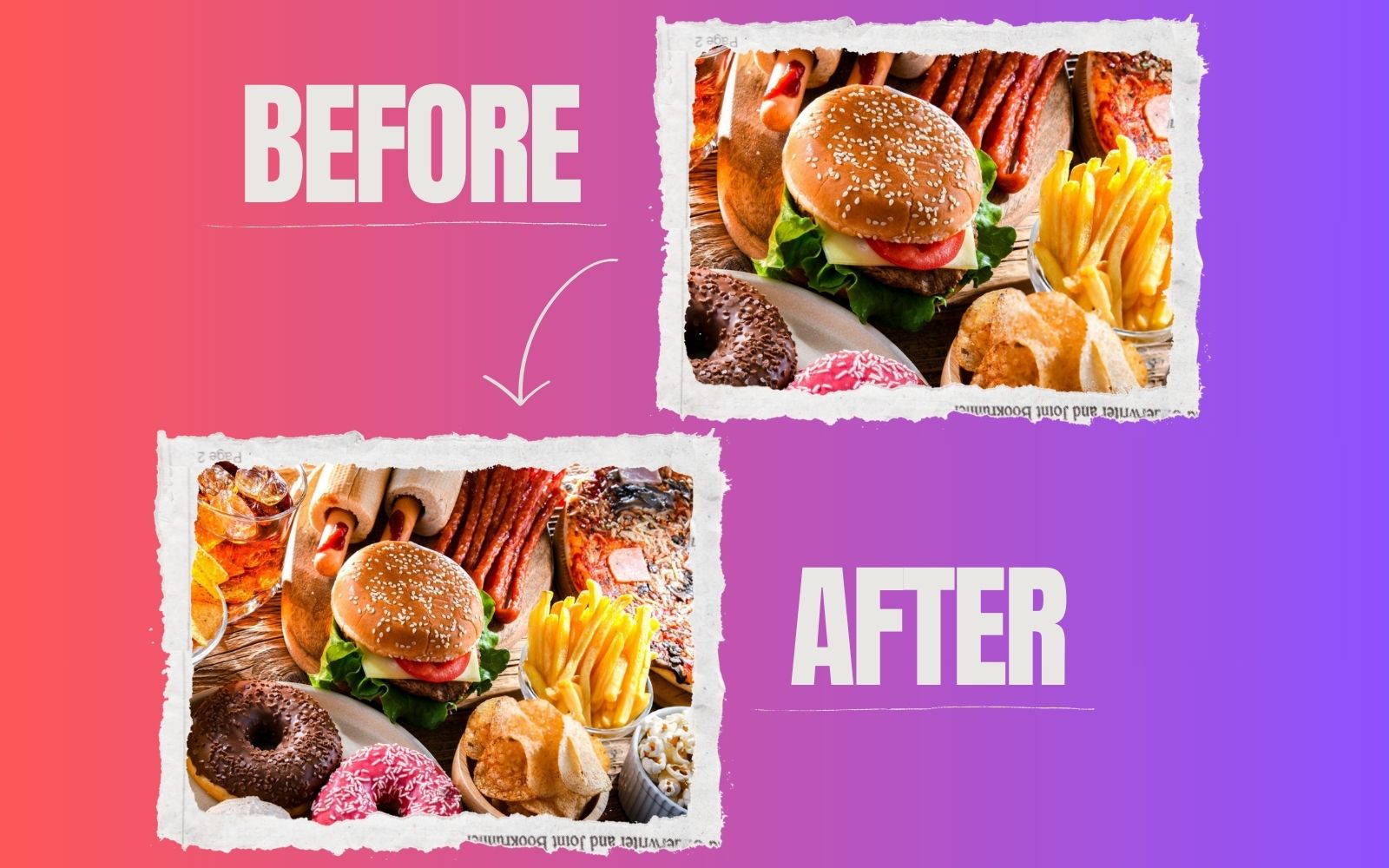

expand realistic image

How can I customize the expanded areas of the image with the free expand image AI?

Yes, our AI image extender lets you customize the expanded areas of your image. Depending on your preference, the expansion can be adjusted from the Width and Height dimensions.

What types of images can I expand using AI image extender?

It's easy to upload and expand images of any style or content, including photos, illustrations, and digital art. Our AI image expander can work with a wide range of image types to give the best results.

Is there a quality loss when expanding an image using AI outpainting?

No, our AI image extender maintains the original image quality and ensures that the expanded image retains the same level of quality as the original.

Is the AI image extender free to use?

It is 100% free to use ToolXOX AI image extender. If you want to expand as many images as you want, there is no limit to the number of images you can expand.

About the AI Image Extender

AI Image Extender expands the edges of your photo and generates matching content, so you can change aspect ratio or add more background. Upload a JPG or PNG up to 5MB, set the new width and height and generate.

What is outpainting?

It is when AI creates new image content beyond the original borders of a photo.

What can I use it for?

Resize photos for banners, thumbnails and social posts without cropping.

How does image extending work?

The AI studies the edges of your picture and then draws new content that continues the scene beyond the frame. It works best with landscapes, interiors and backgrounds. For people or detailed objects that are cut off, the new part may not match, so extend in smaller steps and review each result.