

AI Image Upscaler - Free, Up to 16X


Drop Files Here
Upscaling


How to Increase Resolution of Image Online with the Latest AI Technology

Easily enlarge your images by 400% with our AI image enlarger, and keep their natural quality and look. You can enhance the details in low-resolution images, sharpen edges, and create masterpieces of high-resolution images with this free image upscaler. Boost the clarity and precision of your photos with Our Image Enlarger.

Features:
1. 100% free ai image upscaler
2. High-resolution output
3. No sign-up
4. High speed
5. No watermark
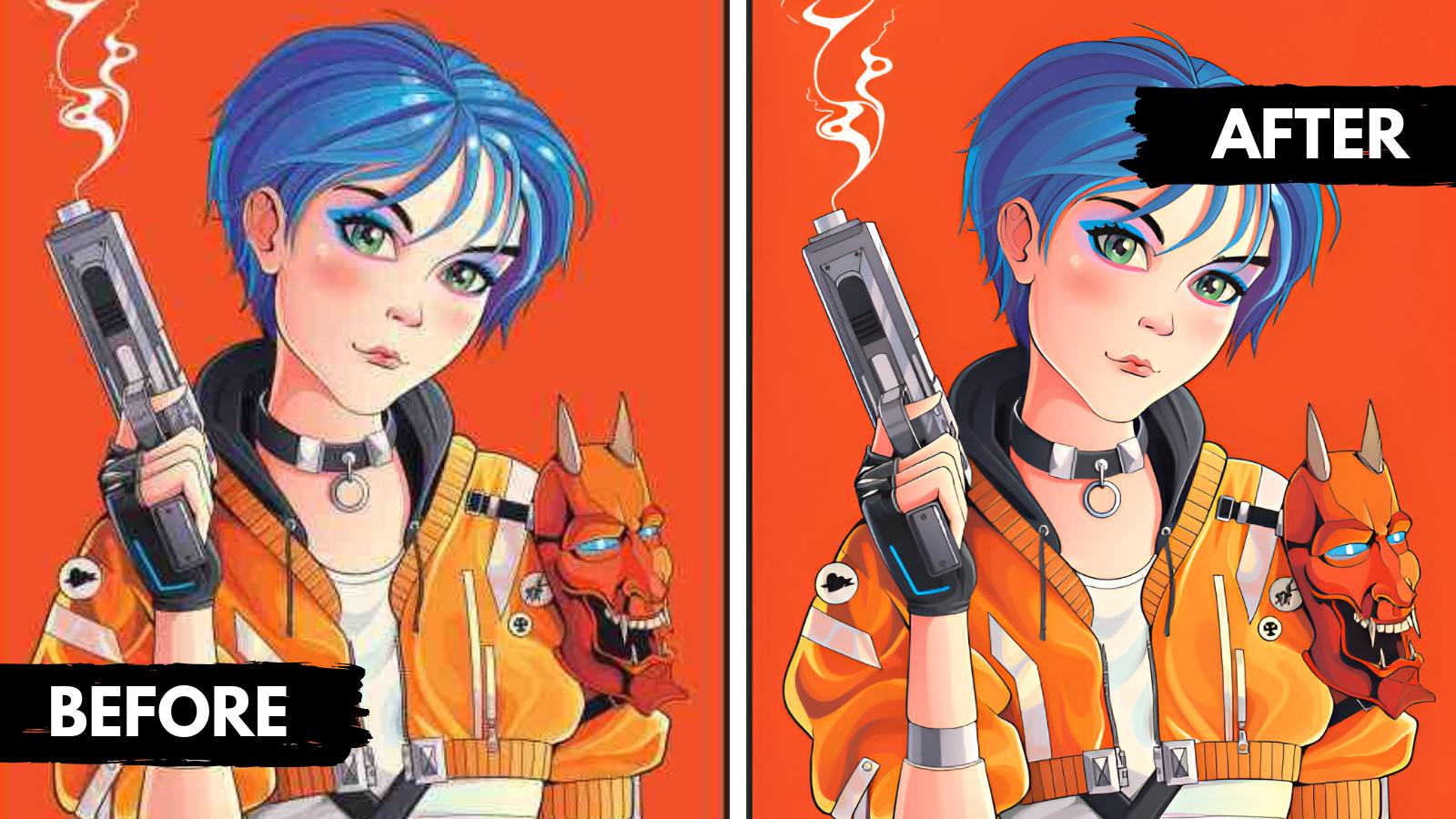

upscale anime images

What is an AI Image Upscaler?

AI image upscalers use artificial intelligence to increase the resolution of your images without losing quality. It enhances images by intelligently adding new pixels, resulting in smoother, clearer results while maintaining small details. It is ideal for enlarging photos, improving image quality for printing, and enhancing digital artwork without compromising clarity or detail.

What is the difference between AI Image Enlarger and AI Image Upscaler?

Images are enlarged with both tools, but their focus is different. With AI image enlargement, sharpness and details are enhanced, resulting in more vibrant images. In contrast, the AI image upscaler produces smoother, more natural enlargements, ideal for creating softer, more refined results. Both tools support enlarging images by 200% to 400%, making them suitable for professional use in photography, design, and digital media projects.

What image formats does the image upscale tool accept?

JPG, JPEG, WEBP and PNG formats are accepted.

Is there a limit per day to use free image upscaler?

It's free, and there's no limit per day. You can upscale as many images as you need without any restrictions, making it perfect for both personal and professional use.

About the AI Image Upscaler

The AI Image Upscaler enlarges your pictures and restores detail instead of just stretching pixels. Choose a scale from 2X to 16X, generate and download a higher resolution image.

How much can I enlarge an image?

You can enlarge from 2X up to 16X depending on the size of your source image.

Upscale in one step to the size you actually need; repeating the process several times can exaggerate artefacts.

Does upscaling add a watermark?

No. The upscaler is free and the output has no watermark.

Which scale factor should I choose?

Choose 2X when you only need a modest increase, for example for a website banner, and go higher only when printing or cropping in heavily. Very large factors on very small pictures can produce smoothed, painterly details, so compare the result with the original at full size.