

Snapchat Sticker Maker - Create Custom Stickers Free


Drop Files Here (Support JPG & PNG Format Only)

Waiting in queue...

Your Snapchat sticker is being processed.

Status: - Queue: -


Create Snapchat-Style Reaction Stickers from Photos

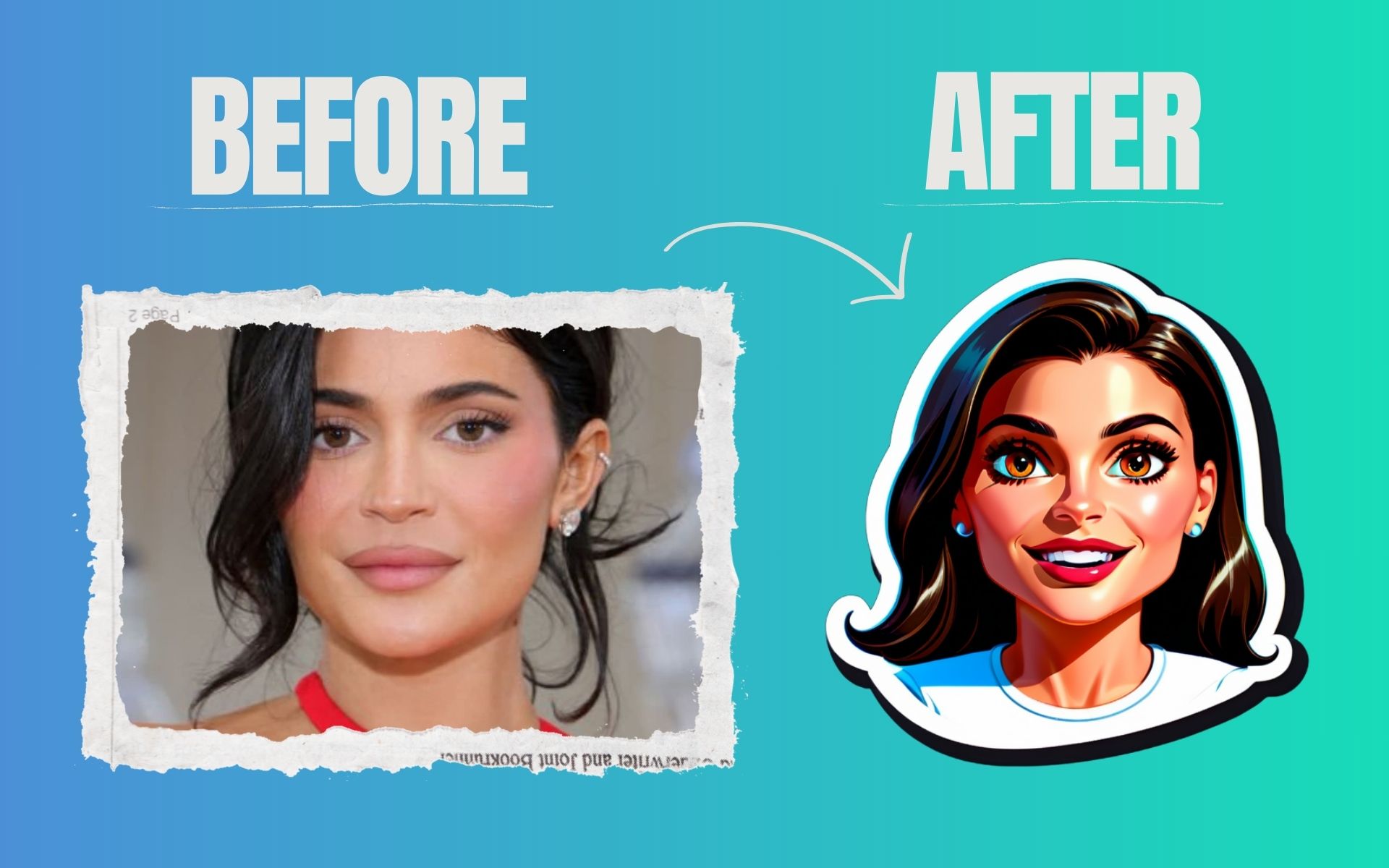
Need custom stickers for stories, DMs, or branded campaigns? This Snapchat sticker maker converts your photo into a cutout-style sticker you can reuse in edits and social posts. You can produce transparent-background style assets that match the playful Snap look.

Top features:
1. Free Snapchat sticker creator from image upload
2. Quick cutout output for custom reaction stickers
3. No mandatory account signup
4. Queue processing for reliable generation

snapchat sticker maker online free

Why did my Snapchat sticker result not look clean?

If edges look rough, use a brighter image with clear subject separation. Busy backgrounds and low-light photos can make sticker extraction less accurate.

Can I use these stickers for Snapchat stories and promotions?

Yes. You can use generated stickers in social content, campaign creatives, and creator-style posts, including content adapted for Snapchat audiences.

Is there any usage cap for generation?

There is no fixed sticker count cap from the page itself. You can continue creating different sticker concepts based on your content needs.

Is this Snapchat Sticker Maker free to use?

Yes, ToolXoX provides this Snapchat sticker generator for free so you can make and download custom sticker-style assets online.

About the Snapchat Sticker Maker

Turn your own photos into Snapchat stickers. Drop a JPG or PNG, click Generate and download a sticker as a transparent PNG. Make personal stickers of friends, pets and inside jokes, or a branded pack for your business.

The image is processed on our servers, so it works on any phone or computer without installing an app. It is free and needs no sign up.

How to Make a Snapchat Sticker

  1. Drop a JPG or PNG image into the tool.
  2. Click Generate and wait for processing.
  3. Download your sticker.
  4. Add the PNG to your Snaps, chats or any photo and video editor.

Features

  • Right size. Prepared for Snapchat.
  • Transparent background. Clean cut out stickers.
  • No app needed. Make stickers in your browser.

Sticker Design Tips

Use a photo with one clear subject and a simple background.

Bold shapes and big faces stay readable at small sizes.

Make a few stickers at once to build a full pack.

No photo? Create one with the AI Sticker Generator.

Frequently Asked Questions

Can I use the sticker in other apps?

Yes. It is a normal PNG image you can use anywhere.

Can I add Snapchat filters too?

Yes. Use the Snapchat Filter tool.

Is the Snapchat Sticker Maker free?

Yes. You can use it for free without signing up.

Does it work on my phone?

Yes. It works in any modern mobile or desktop browser, so there is nothing to install.