

WhatsApp Sticker Maker - 512x512 Stickers


Drop Files Here (Support JPG & PNG Format Only)

Waiting in queue...

Your WhatsApp sticker is being processed.

Status: - Queue: -


Create WhatsApp Sticker Pack Assets from Any Photo

Turn personal photos into WhatsApp sticker-style graphics in seconds. This free WhatsApp sticker maker helps you prepare custom assets for WASticker pack workflows, including transparent-background designs and 512x512-ready creative output.

What makes this useful:
1. Free online WhatsApp sticker creator
2. Designed for custom sticker pack workflows
3. No sign-up required to generate sticker concepts
4. Quick queue updates while your output is processed
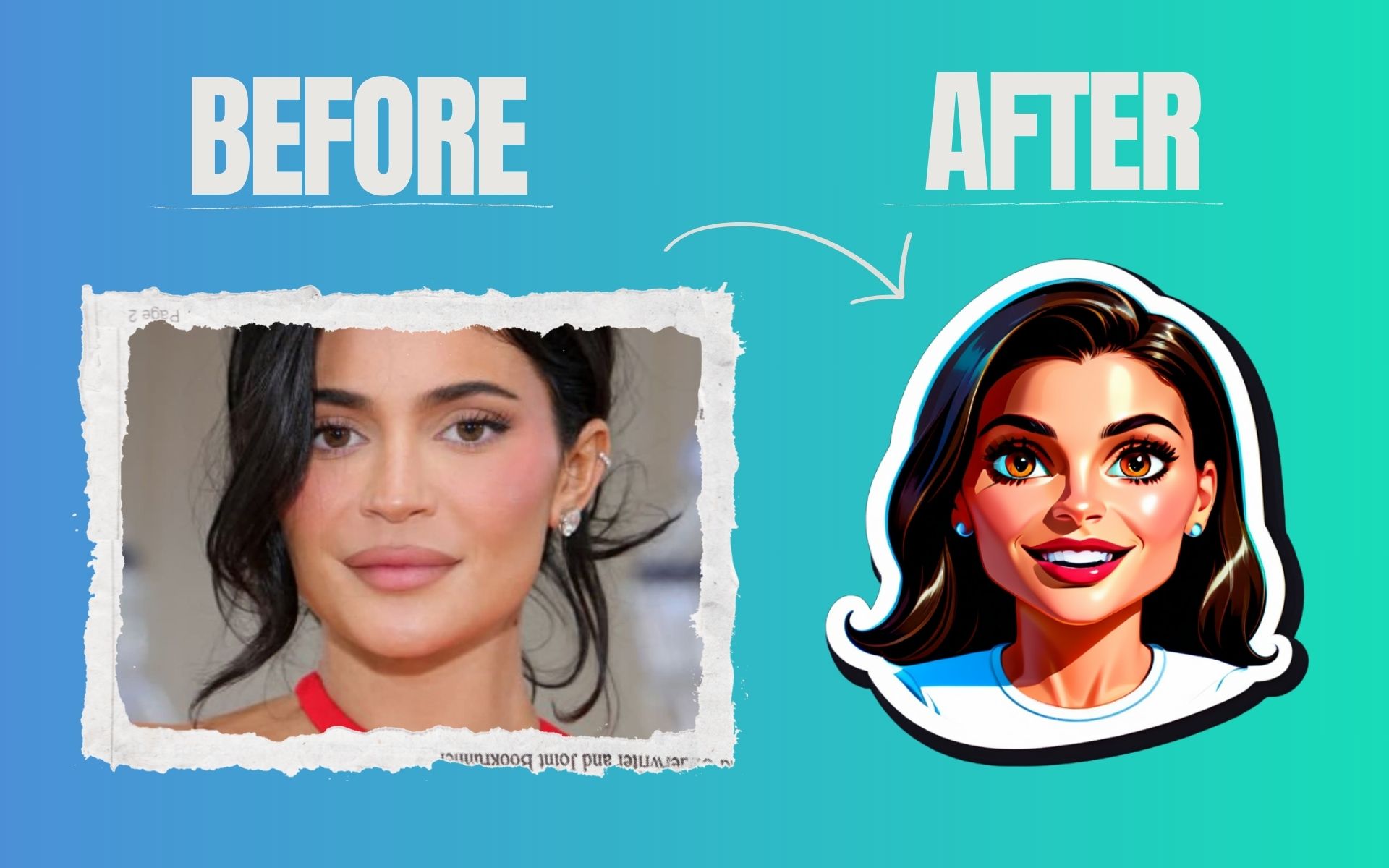

whatsapp sticker maker online free

Why does WhatsApp sticker generation fail sometimes?

Low-quality input photos and unclear subject edges can reduce cutout quality. For best results, upload a sharp image with clear foreground separation.

Can I use generated stickers for business marketing?

Yes. Many creators use custom sticker visuals for brand conversations, campaigns, and social sharing. You can integrate your sticker assets into promotional communication.

Is there a limit on free WhatsApp sticker creation?

You can keep generating sticker concepts as needed. This page is built for repeated use while creating new ideas for chats and sticker packs.

Is ToolXoX WhatsApp Sticker Maker free?

Yes, this WhatsApp sticker generator is free to use. Upload your image, generate your sticker result, and download your asset online.

About the WhatsApp Sticker Maker

Turn personal photos into WhatsApp sticker assets. Drop a JPG or PNG, click Generate and download a 512x512 sticker you can add to a sticker pack.

How it works

  1. Drop a JPG or PNG image into the tool.
  2. Click Generate and wait for the sticker to be processed.
  3. Download the 512x512 sticker.
  4. Add it to your pack with a sticker app.

Popular uses

  • Personal photo stickers.
  • Branded sticker packs for businesses.
  • Funny reactions and inside jokes.

What size is a WhatsApp sticker?

WhatsApp stickers are 512x512 pixels. The tool prepares the image at this size.

How do I add my sticker to WhatsApp?

WhatsApp does not accept images directly, so you add them through a sticker maker app that creates packs from your images. Download the sticker here, import it into a pack-maker app on your phone, add at least the required number of stickers and then add the pack to WhatsApp.